HMTL
HTML is used to define the structure of web pages and the meaning of browser content. Using semantic HTML helps with accessibility and search engine optimization. Because CSS is closely related, it also affects how CSS is written. Front-end web development refers to the language that runs in the browser. When these three languages work together, they are each responsible for different things. HTML is the starting point because it is used to add content and structure pages. CSS is used to represent effects and styles, such as colors and fonts. JavaScript is used to add interactivity, such as clicking a gallery or dynamically changing content by clicking a button or page scrolling.
Web fonts and Google Fonts
Typography is the study of the design and use of types, and it is a way to interact and communicate with readers. Fonts are often referred to as fonts or font families, but are actually a group of fonts designed to have a common feature consisting of glyphs. A font is a single file that belongs to a font family or font. Serif fonts are usually characterized by tiny decorative lines at the top or bottom of the letters. Sans serif fonts do not have these trim lines. The script font has a handwritten look. They should be used with caution, as they are often difficult to read in small sizes, all uppercase, or longer text. This font is perfect for displaying code. To set the font family in a web project, use the CSS property font-family. Not all operating systems have the same font installed, or users may have deleted it. If the user does not install the font locally, your font family statement will not display correctly.

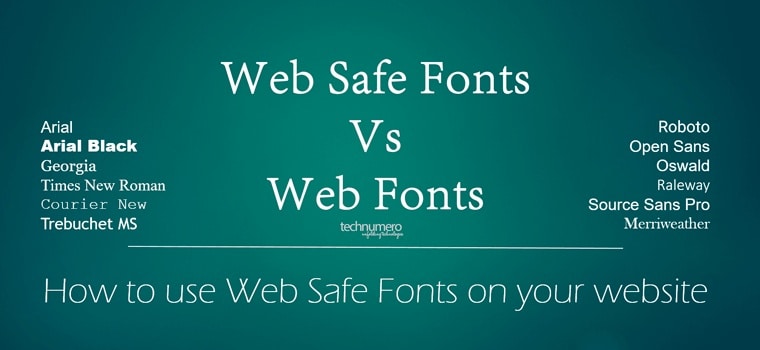
Web safe fonts and the font family property
For more options, we can use web fonts. Because it does not require users to install fonts, we are not limited to web-safe fonts. There are two ways: using internal or external sources. The internal font source refers to the downloaded font file, which, like other files, is also included in the project directory. Font-face is used to set the font name and link to the font file. It starts with an at sign and then font-face.
To link to a file in a CSS or images folder, simply add the folder name, followed by a forward slash, and then the file name. Now, suppose you have a folder called fonts to organize all your font files. Now Styles.css is your starting point because you are adding font declarations to your CSS files. The file is in a folder, so you must first navigate up and move out of it. The first step is to move out of the CSS folder using ../. Then add fonts / move to the fonts folder and enter the font file name. Regardless of folder name, ../ is always used to move folders up and down. The entry folder is always defined by the folder name.
The second option for using web fonts is to use external sources, they are third-party services. With this option, you don’t need to download any files or include them in the project’s directory.
 Vincentmedia